TrackStudents: How It Works — Printable Slide Deck
How it works
One place for everything that happens with a student.
Classroom documentation, Special Education supports, PCA observations, behavior, safety and out-of-class activity — one connected student record instead of notebooks, spreadsheets and memory.
Stop trying to remember. Start documenting.
TrackStudents.org
Schools document constantly.
Almost none of it is findable later.
Teaching and documenting compete for the same minute, so the record ends up scattered — and the school defends decisions with reconstructed memory.
It lives in five places
A notebook, a spreadsheet, an email, a sticky note — and the rest in somebody's head.
Patterns get missed
Nobody can see that the same student struggles third period every Tuesday until it becomes a crisis.
Meetings start with a scramble
The day before the meeting, staff rebuild months of history from memory.
Stop trying to remember. Start documenting.
One system where staff document students and read the record back.
Document in seconds
Single-tap records during class — no lesson stops so an adult can write a paragraph.
See the pattern
Every entry is dated, so trends across weeks and classrooms show up on their own.
Walk in ready
Pull one meeting-ready report instead of chasing five staff members for their notes.
Three account roles. Support Staff carry capacities.
Students never sign in to the staff application.
Admin
Runs the school workspace: staff, classrooms, caseloads and school-wide reporting.
Teacher
Runs their own classrooms, documents the day, and pulls classroom and student reports.
Support Staff
Works assigned classrooms and students. One person can hold several capacities at once.
IA = Instructional Assistant · PCA = Personal Care Assistant
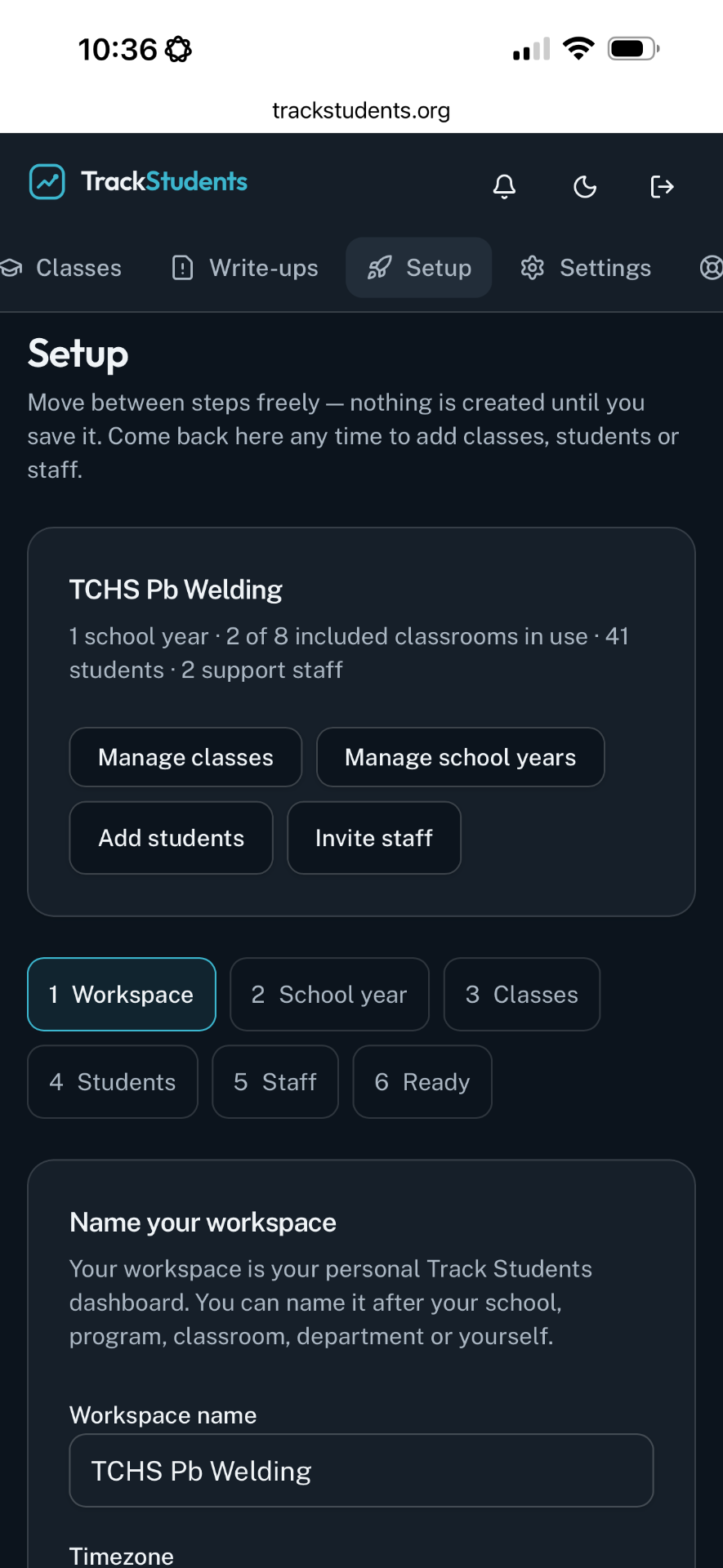
The school is set up once, by an Admin.
A school onboards as its own workspace. Everything staff create lives inside it.
- School details and the current school year
- Year rollover, with previous years kept as archives
- Staff invited by email — single or bulk, tracked, resendable, revocable
- Accepted staff land directly inside the school's workspace
Every teacher invents their own system, and nothing survives the summer.
One school setup, one shared way of documenting, and last year is still there.
Two kinds of rooms, for two kinds of work.
Regular class
A teacher's own classroom: roster, classroom setup, lead teacher, and invited support staff who document alongside them.
Special Education / Support Services
School-managed caseload rooms for IEP, 504, Learning Support and PCA work, shared with the support staff assigned to them.
Rosters in minutes, not evenings.
Add students one at a time or import a CSV roster. Duplicates across classrooms can be found and merged so a student stays one student.
Admins invite staff by email, single or in bulk. Invitation status is visible, and invitations can be resent or revoked.
A school can be documenting the same week it signs up.
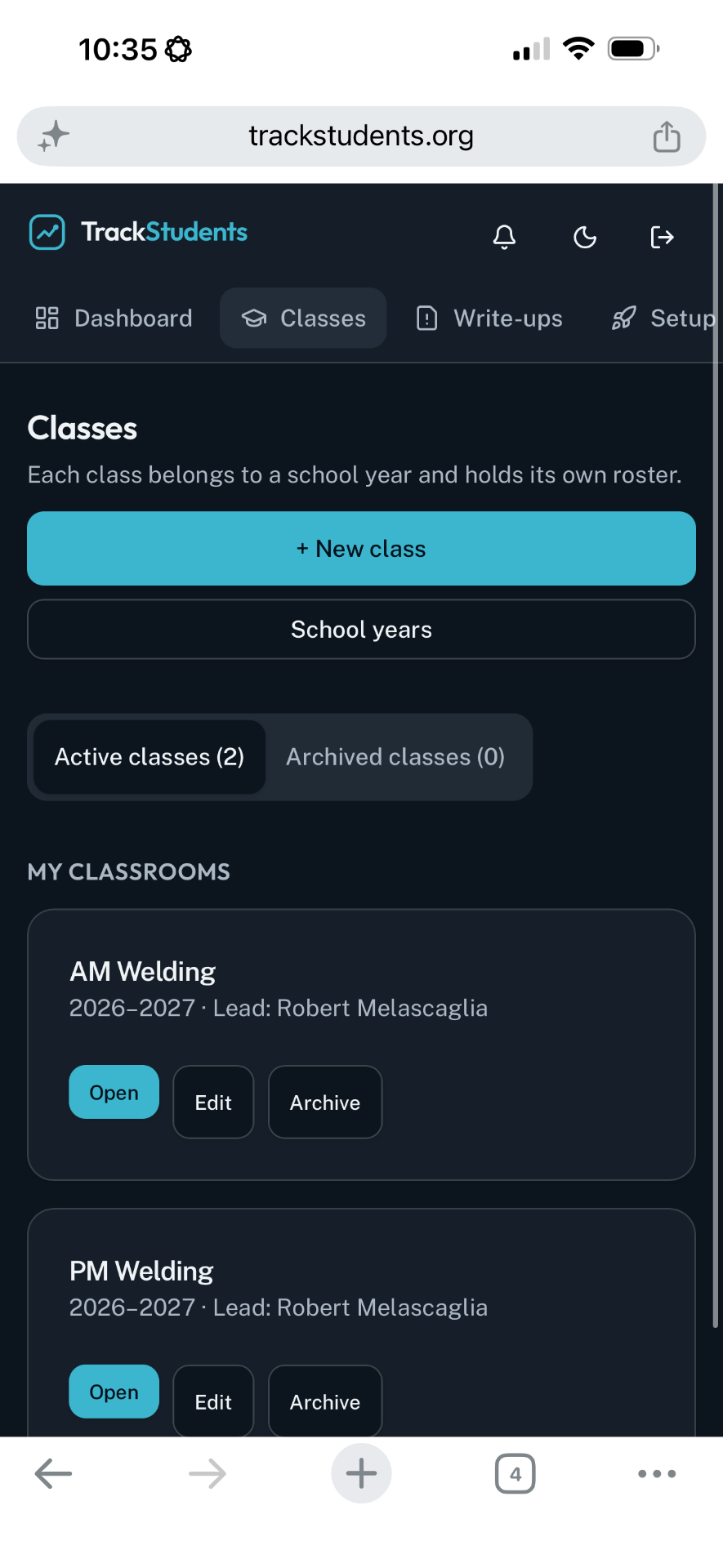
The day opens with today's classrooms.
A teacher signs in and sees the rooms they run, the students in them, and what has already been documented today.
Documentation happens at 4 p.m., from memory, if at all.
The record is in front of the teacher while the class is still in the room.
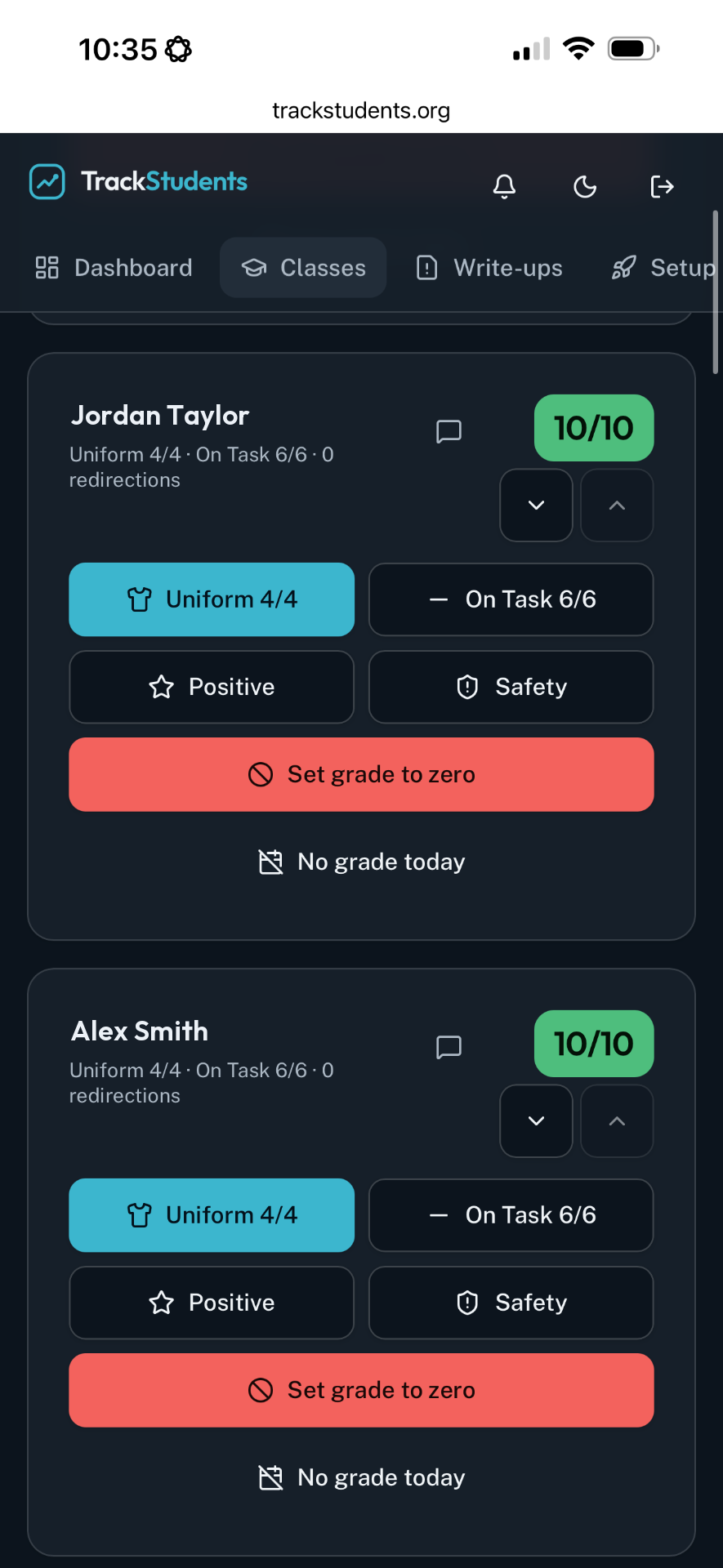
Student → category → done.
A meaningful moment is recorded in about two taps, on a phone or tablet, while every student stays visible on the classroom board.
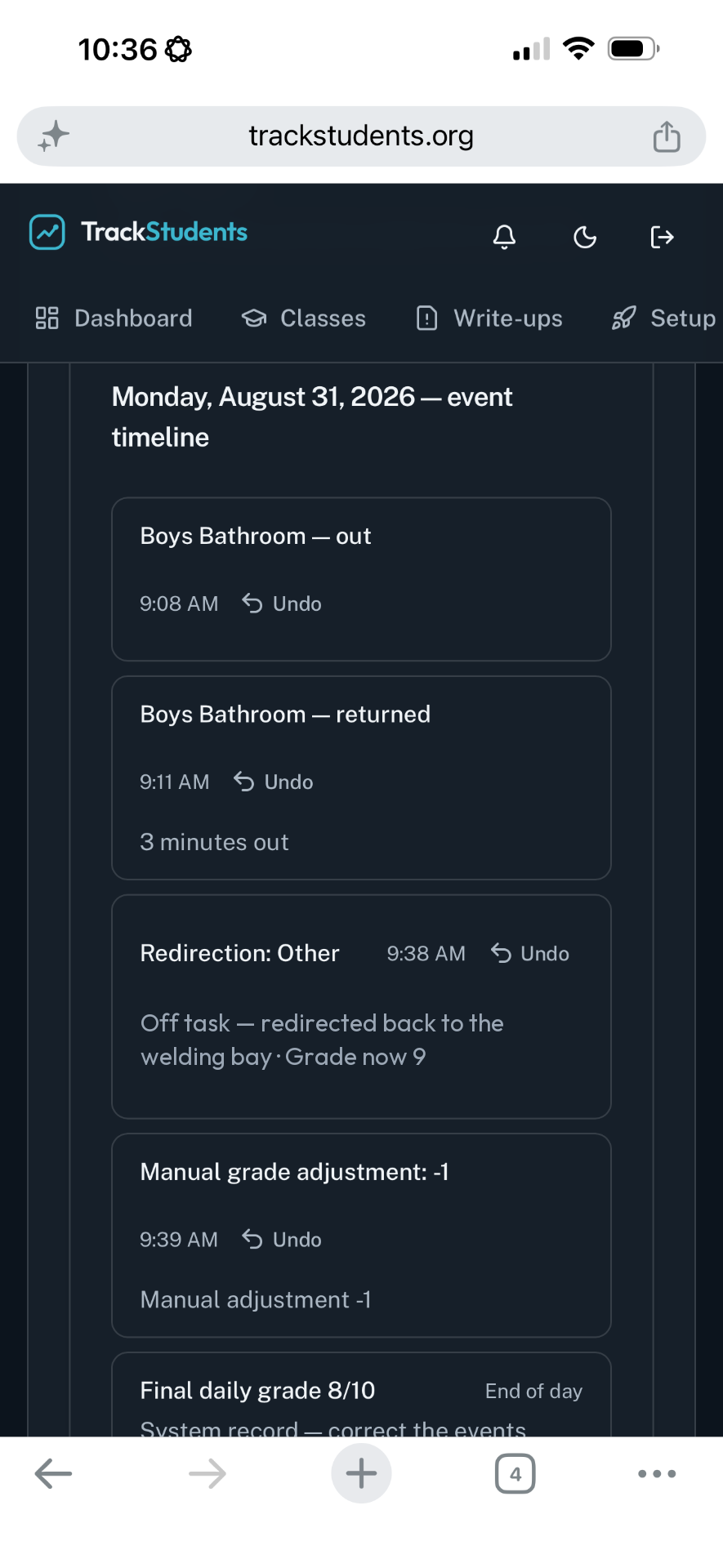
Score the day, or just track it.
Templates are chosen per classroom and customized to the room — elementary through high school, CTE through regular education.
CTE Daily Grade
The familiar 10-point daily grade, with the documentation behind every score change.
Regular education
No artificial daily grade. Staff document meaningful exceptions with the school's own categories.
Categories, quick actions and quick notes are customizable per classroom.
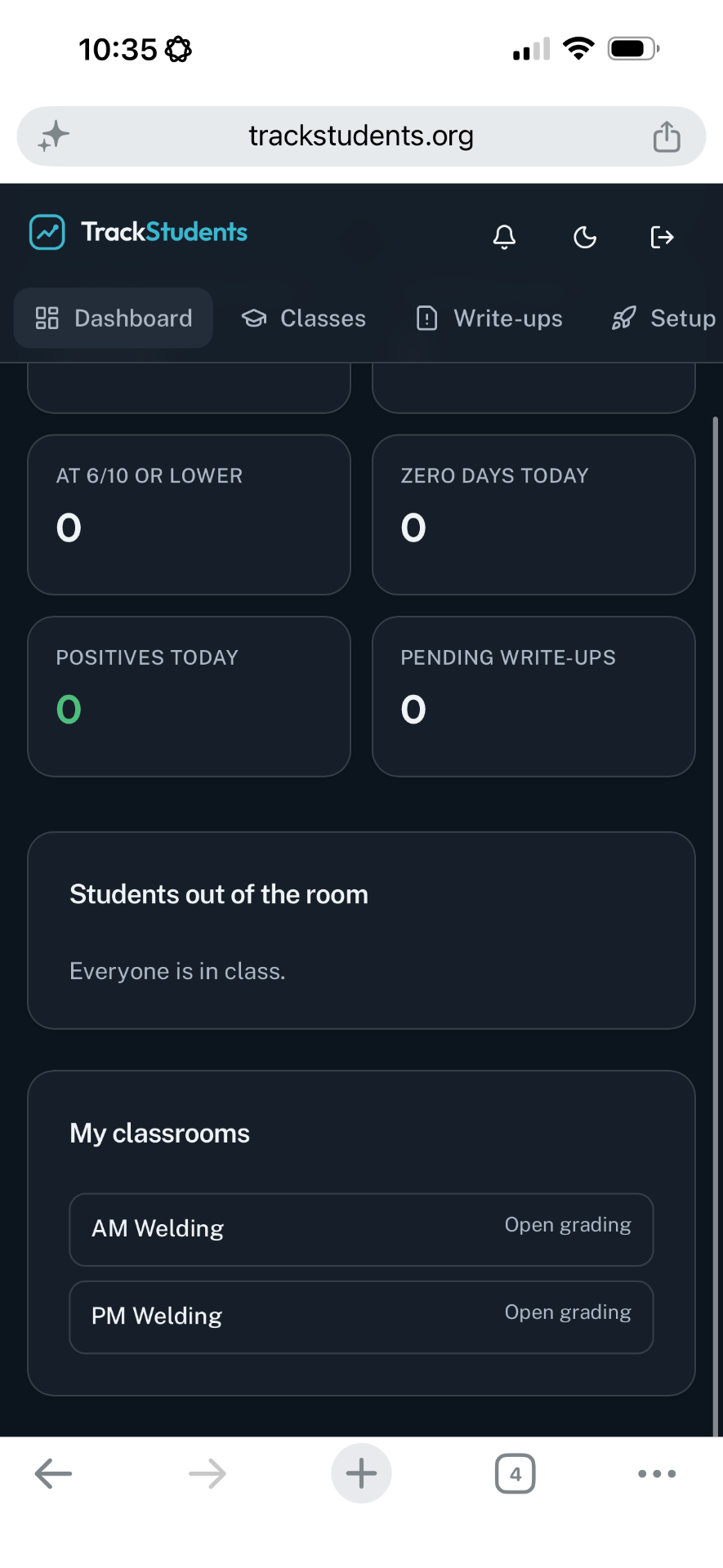
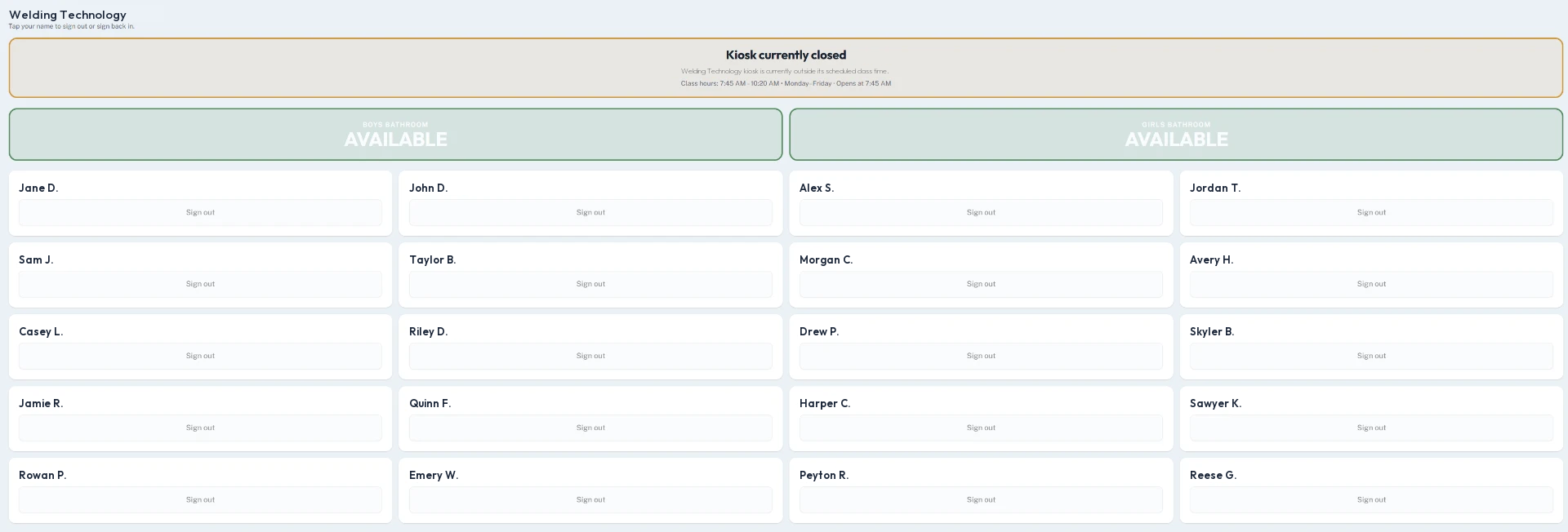
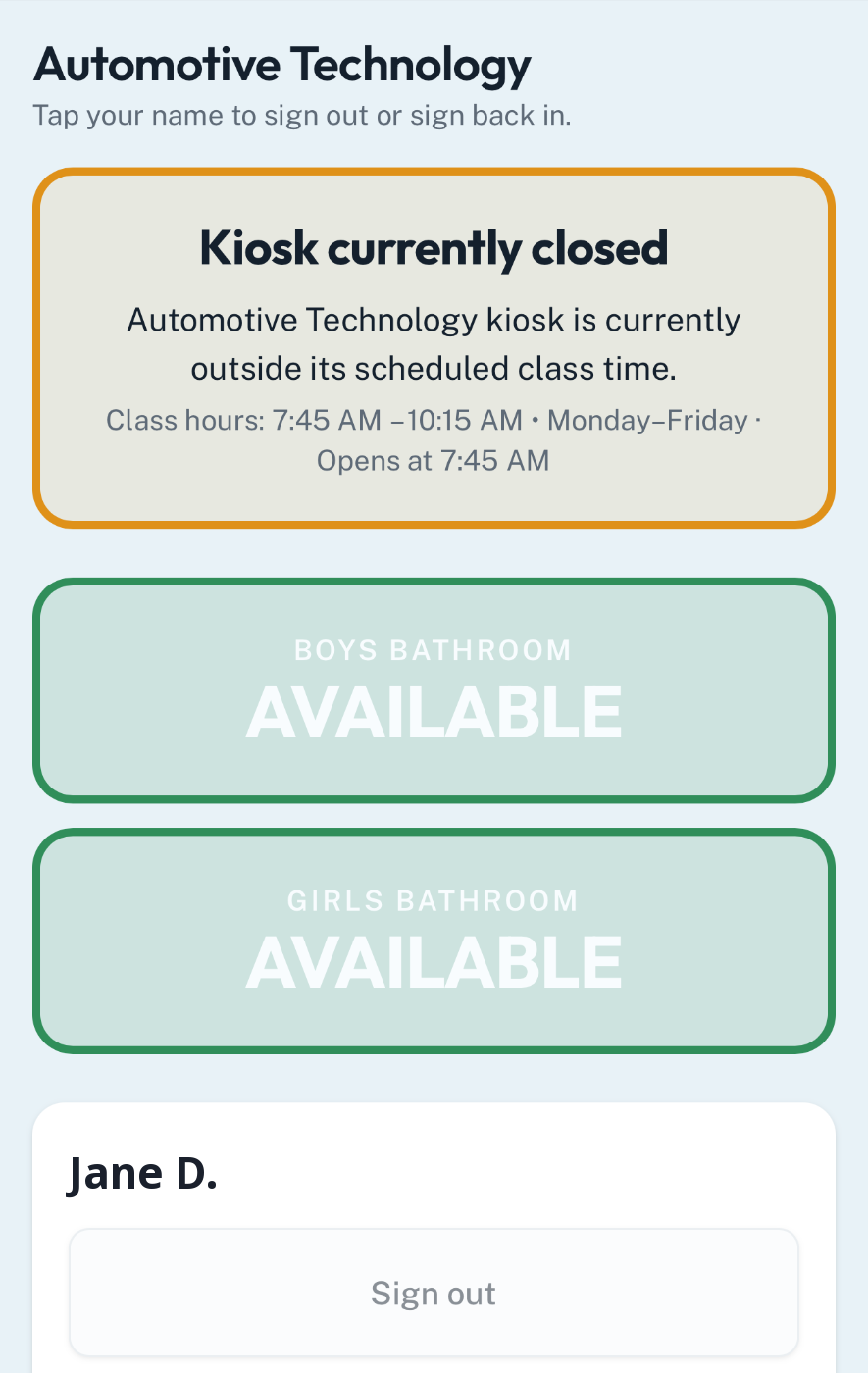
Students sign themselves out. Teaching never stops.
A classroom device shows the roster. A student taps their name and where they are going.
- Bathroom, nurse, office, guidance or other
- Live view of who is out of the room right now
- Return timing recorded automatically
- Overdue pass alerts for the teacher
Paper passes, and nobody can say how long a student was gone.
Out-of-room activity becomes data the school can actually look at.
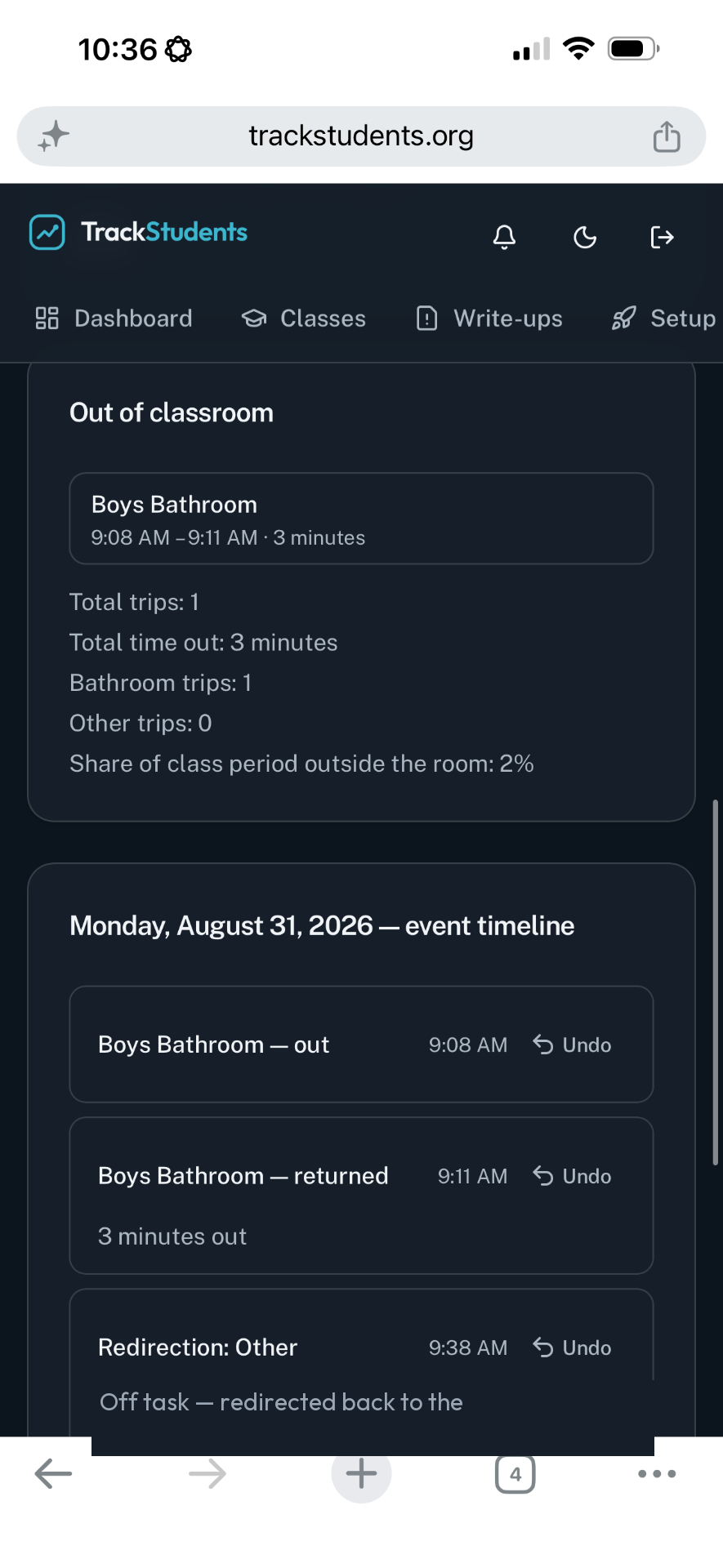
One student, one history — and it can be corrected.
The student page holds the day, the trend, notes, flags and incidents in one place.
Caseload work, documented as it happens.
Teachers designate a student IEP or 504. Admins assign Learning Support caseloads, and support staff work only the students assigned to them.
Support overview
Each caseload student's supports, observations and current picture in one view.
Goals & accommodations
Goal progress data over time, plus accommodations logged when they are provided.
Dates & timeline
Annual IEP, reevaluation, meetings and progress reports, against a dated timeline.
Structured records for specifically assigned students.
A PCA may sit in a classroom of twenty. If two of those students are assigned to them, their dashboard is those two students.
Prompt levels, assistance levels, and timers for breaks, behavior episodes and time out of the classroom — plus daily notes and daily completions.
Classroom
20 students
Assigned to this PCA
2 students
PCA dashboard shows
2 students
Instead of scattered notes, the team gets structured, student-specific records.
Everyone can see exactly what their account can do.
Settings shows each staff member a read-only summary — no guessing, no support ticket.
Role and capacities, which classrooms they reach, how many caseload and PCA students they support, and plain "you can / you cannot" lists.
One person can hold all three capacities — each one carries its own access.
Student information is not a shared free-for-all.
Admins
See and manage what their school workspace authorizes them to manage.
Teachers
See their own classrooms and the classrooms they have been invited to.
Support Staff
Access follows their capacity plus their classroom or student assignments.
Trends, over any range you choose.
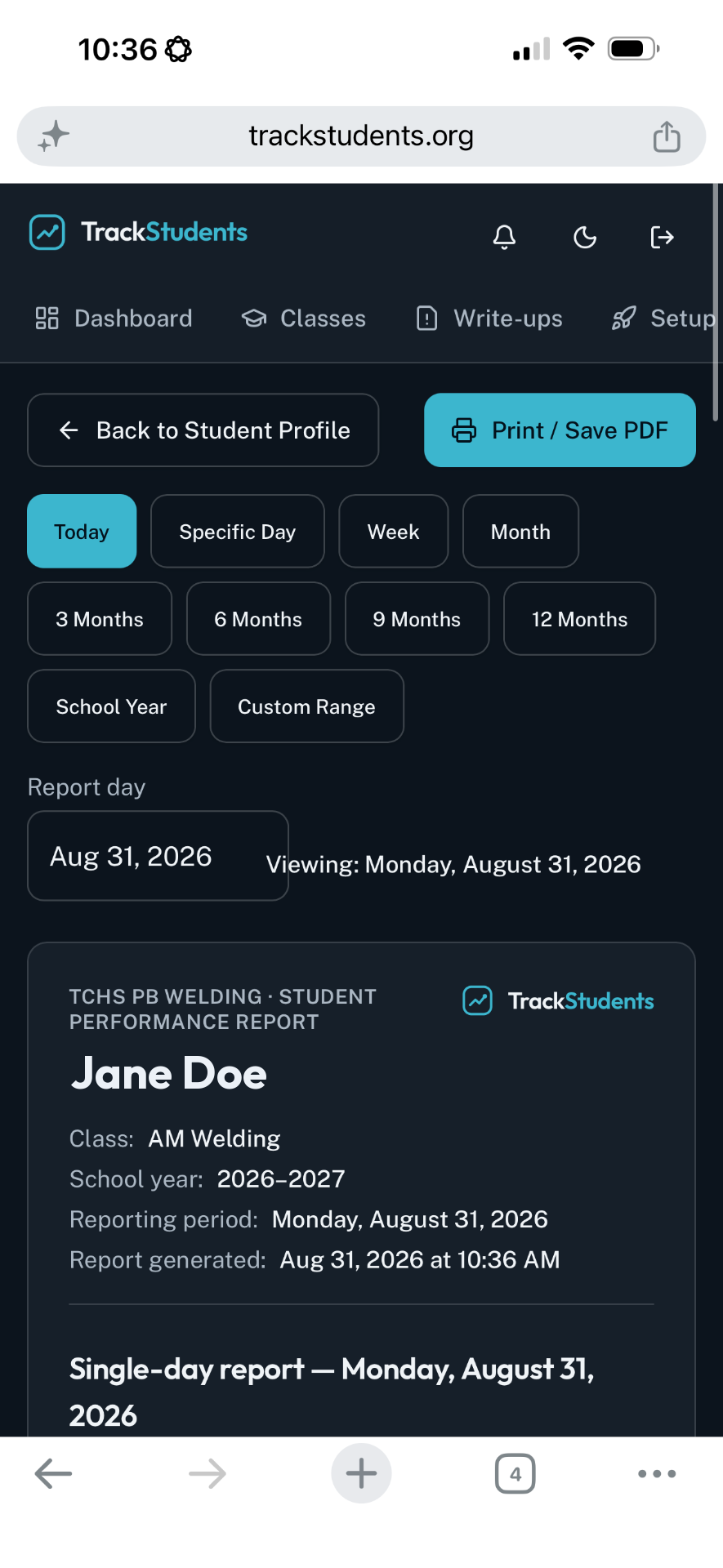
Tracking Reports read the documentation staff already entered — by classroom or by student, with charts, frequency and chronology.
- Classroom reports and individual student reports
- Any date range, with charts and trend lines
- Downloadable PDFs and CSV data export
- Incidents view, notifications and help tickets alongside
A concern is noticed only after it has been a problem for two months.
The pattern is visible the moment someone looks.
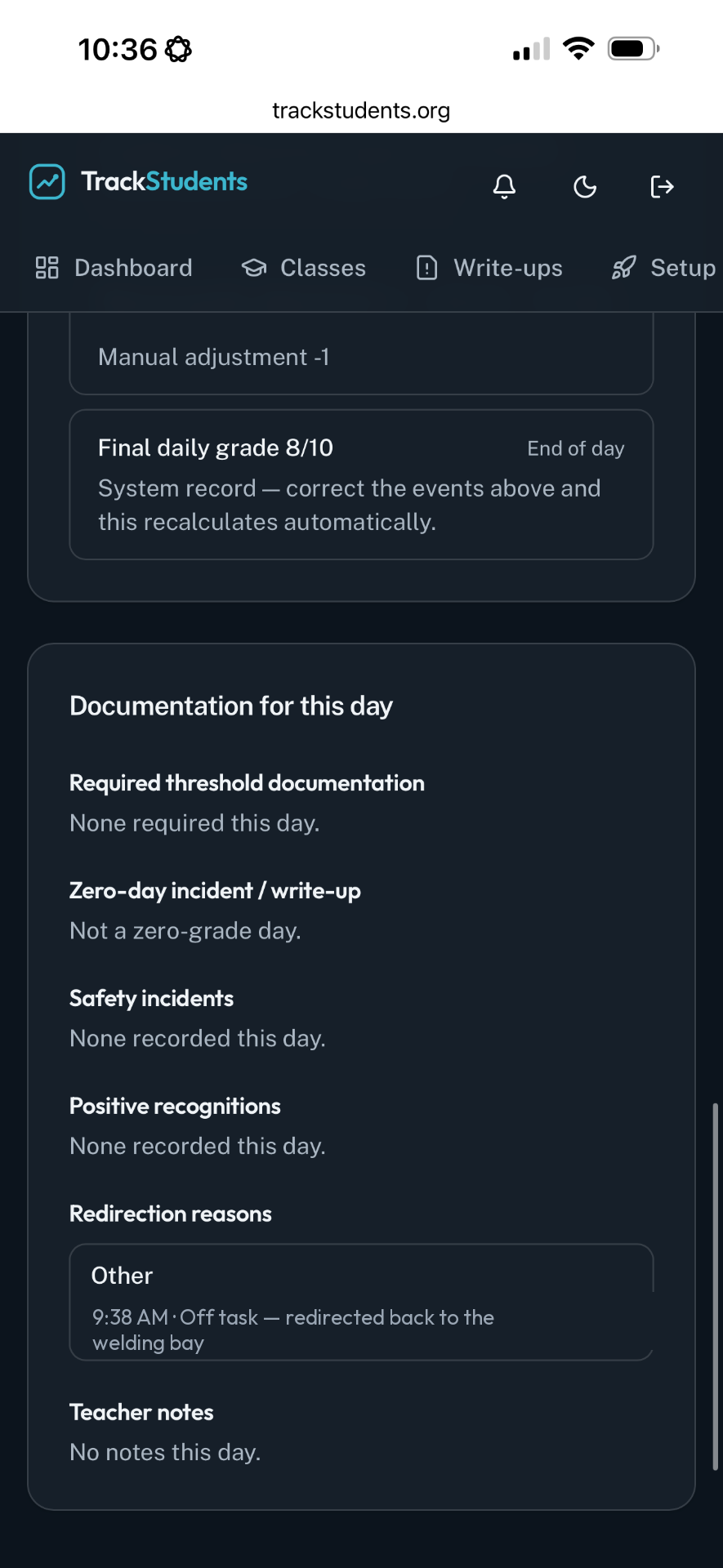
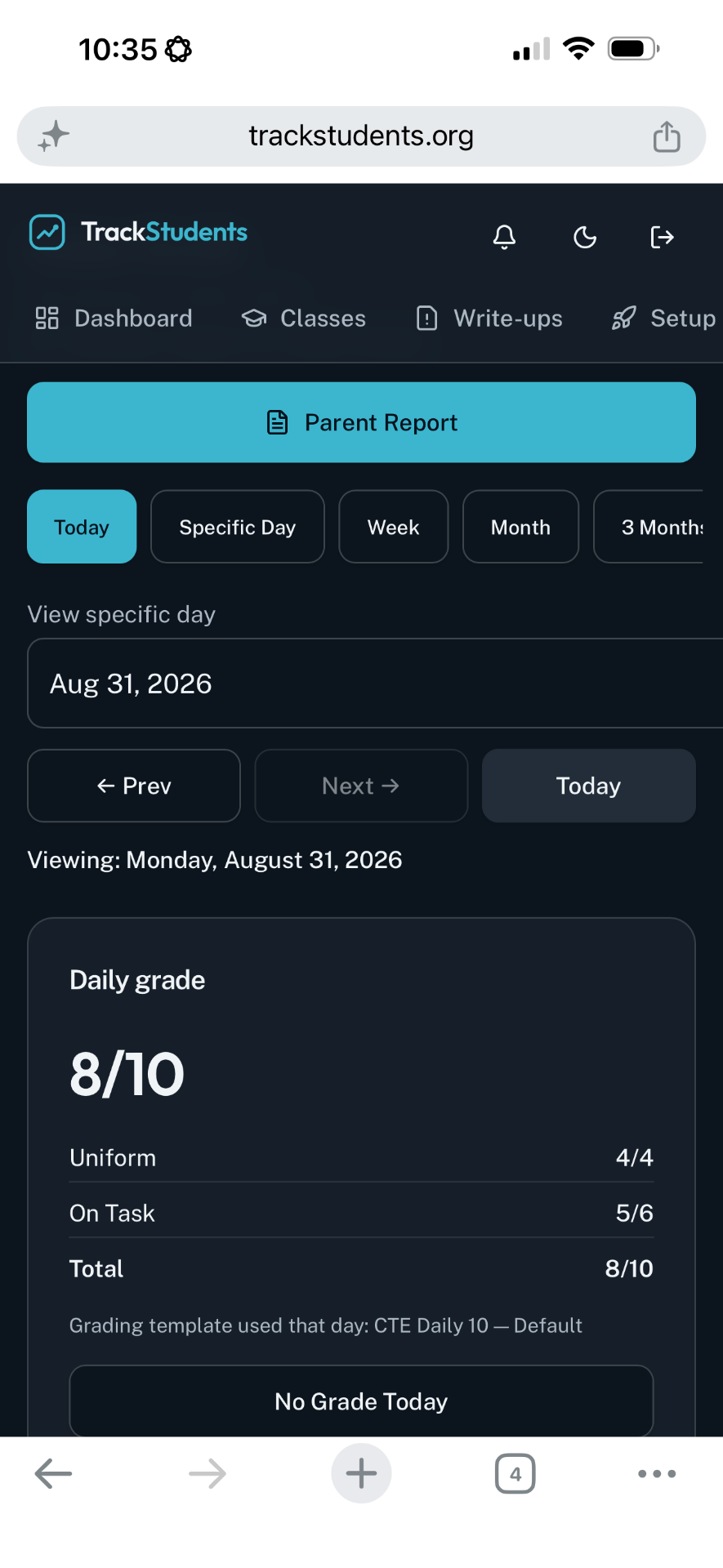
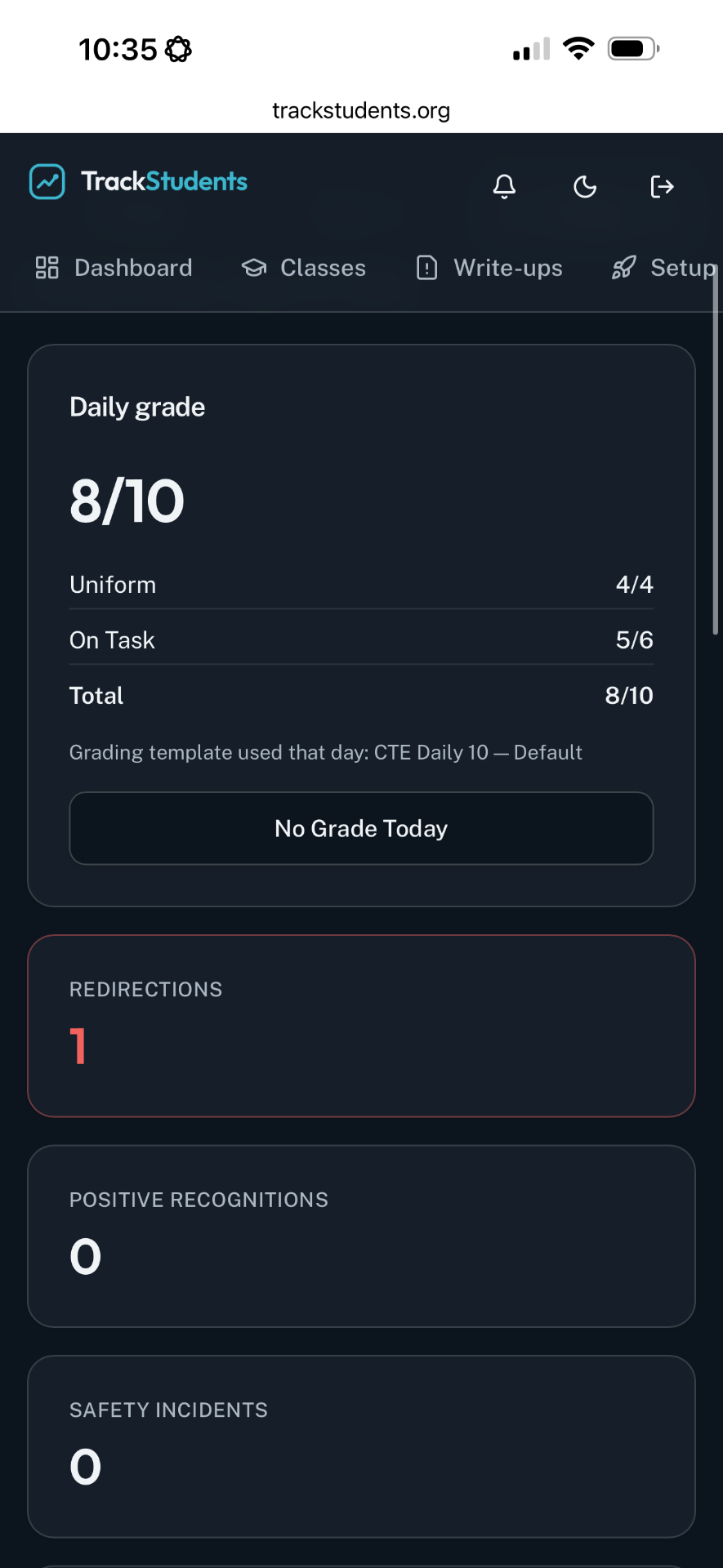
A daily grade that can explain itself.
For scored classrooms, Daily Grade Reports and the Daily Grade Spreadsheet show the score and the documentation behind it.
- Spreadsheet view across the roster and the marking period
- Per-student breakdown of what moved the score
- Redirections, safety notes and write-ups attached to the day
- Printable PDFs for conferences and reviews
Support work becomes documented progress.
Goals, supports, accommodations
Goal progress over the period, supports provided and how often, accommodations logged, observations, and the dates that matter — ready to print for a meeting.
Independence and prompting
Prompt and assistance levels over time, independence, breaks and behavior episodes, personal care and safety documentation for the assigned student.
The people doing the support work no longer have to write the summary twice.
One student. One document. Five minutes.
Pick a student, pick the sources you are authorized to see, pick a period — TrackStudents assembles one consolidated, meeting-ready report from verified TrackStudents records.
Only what you may see
Sources are limited to the classrooms and caseloads your account already reaches.
Verified records only
It reads documentation staff entered in TrackStudents — nothing is uploaded, imported or invented.
Traceable
Saved report history, an audit trail, and a source list on the report itself.
One document instead of five people's notes.
Everything the meeting asks for, in order.
Scattered documentation, or one student record.
Minutes, not paperwork
- Document during class, not after it
- Corrections without a paper trail chase
- Reports pull themselves
The right students, the right records
- Caseload and assigned students only
- Structured PCA and Learning Support entries
- Progress that is already written down
Visibility and accountability
- Classrooms, staff, students and caseloads
- Consistent documentation across the school
- Meeting-ready reports on demand
Notebooks, spreadsheets, email threads and memory — rebuilt the night before a meeting.
One dated record per student, readable by the staff authorized to see it, printable in minutes.
Stop trying to remember.
Start documenting.
Schedule a walkthrough for your team
Pick the school, department or program that starts first
Choose who administers the workspace and invites staff
TrackStudents.org
Built by a teacher, for teachers.